A Kafka health check is a familiar piece of work: collect the broker configuration and a description of the environment, talk to the platform team, go through a long checklist, write up what is wrong and what to do about it, and deliver a report. Done by hand, every consultant does it a little differently, and the evidence ends up scattered across spreadsheets, notes and slides. InsightKafka gives the whole engagement one home and one method.
Who it is for
Kafka platform teams who want a regular, comparable check of their own clusters; solutions architects and consultancies who run health checks for customers and want the same method and report every time; DevOps and SRE teams who need the configuration and lag problems found and prioritised; and security and compliance reviewers who need authentication, encryption, ACLs and schema governance checked. Engagements cover Confluent Cloud, Confluent Platform and Redpanda.
One engagement, five phases
- Customer and scope. A customer record (platform, version, region, cloud, contact) and an engagement with a type such as a health check or an architecture review, a lead architect and goals.
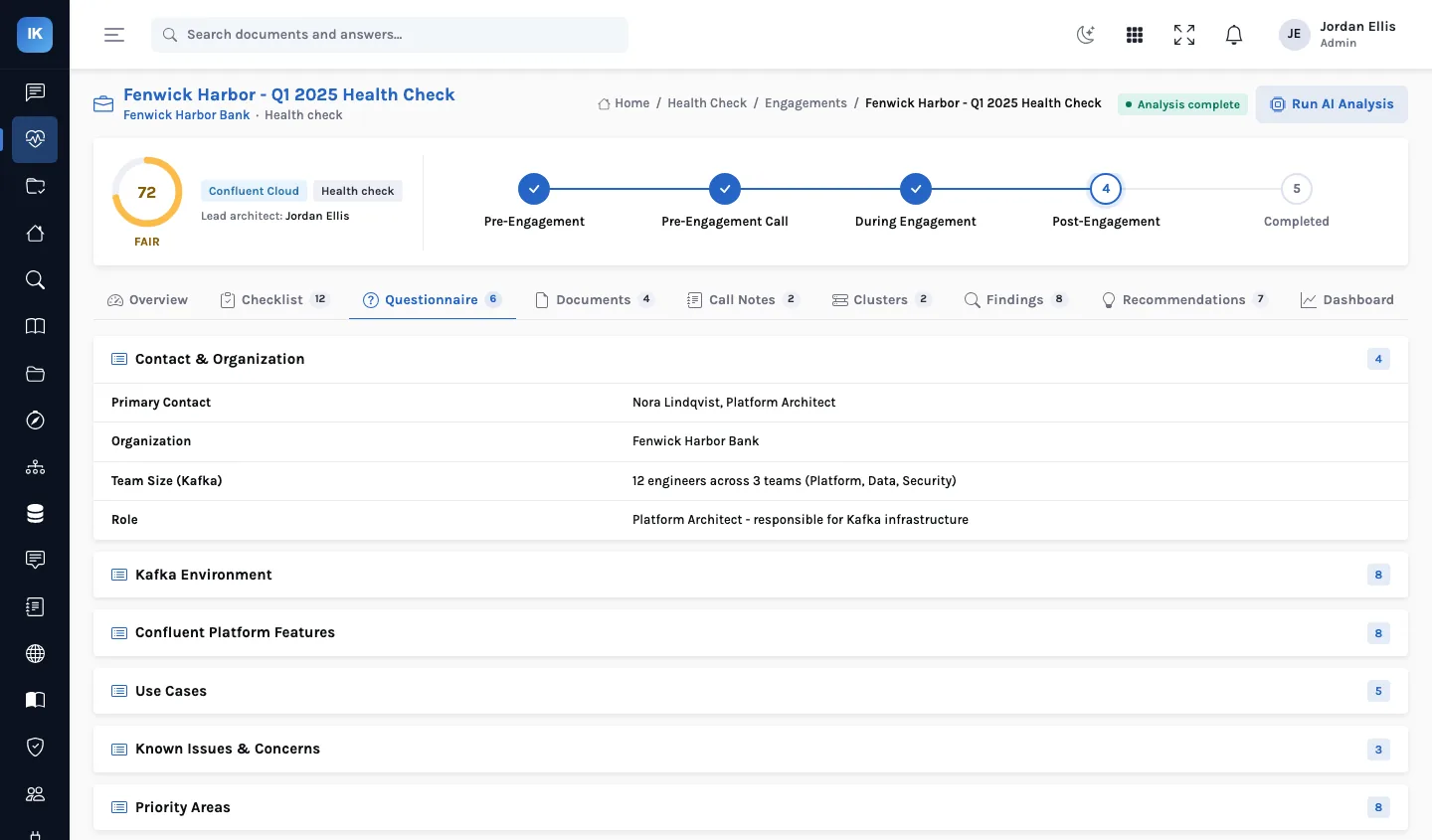
- Questionnaire and documents. Upload the intake questionnaire, configuration files, architecture diagrams and notes; each is classified and, if you choose, parsed with AI into structured data.
- Call notes. Raw notes from each call, with an AI-structured version (a summary, key topics, action items and observations) alongside.
- Clusters. Each cluster's brokers, partitions, topics, consumer groups, connectors and schemas, with their settings.
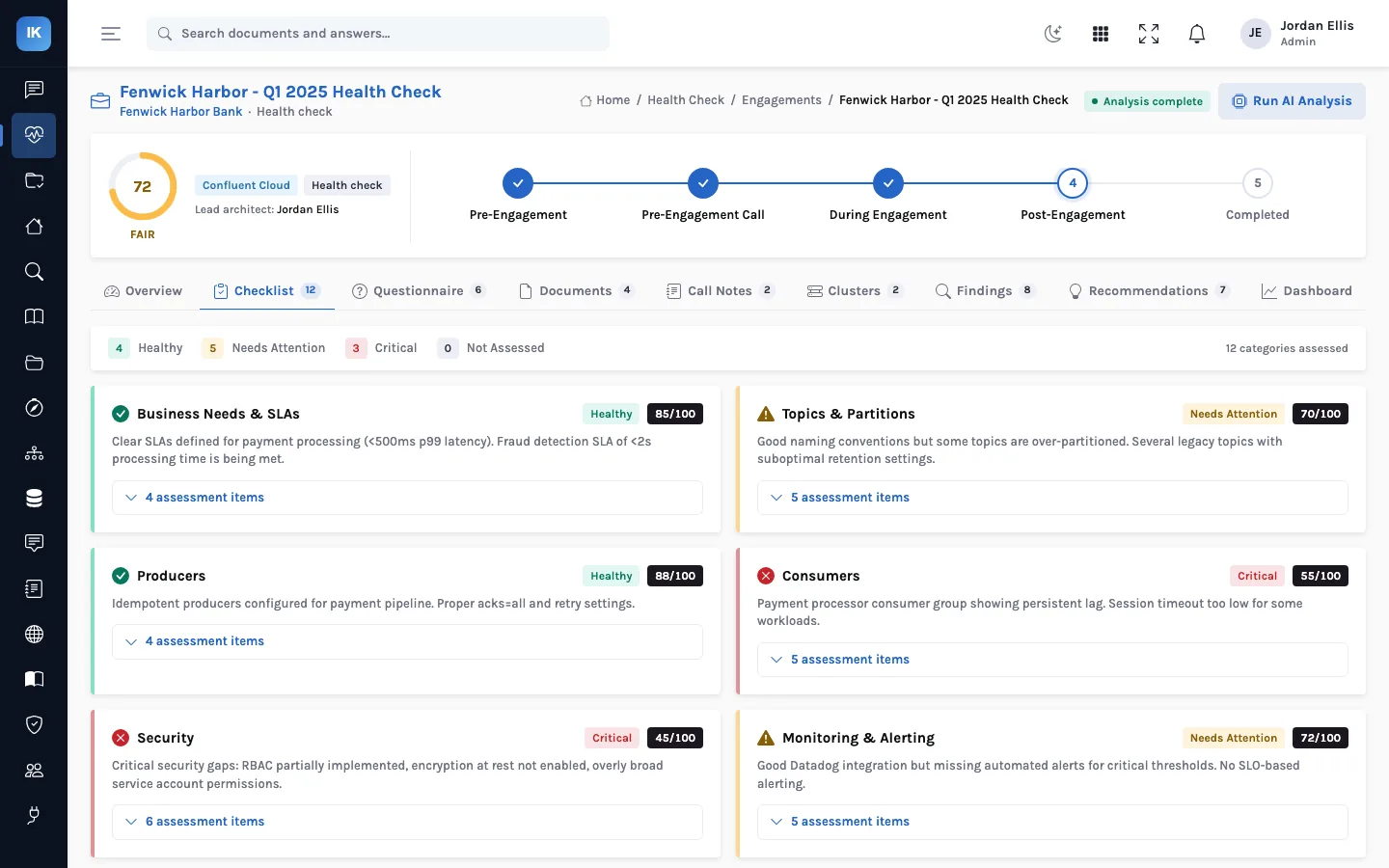
- Checklist. A structured checklist across areas from business needs and SLAs to producers, consumers, security and monitoring, each scored and marked healthy, needs attention or critical.
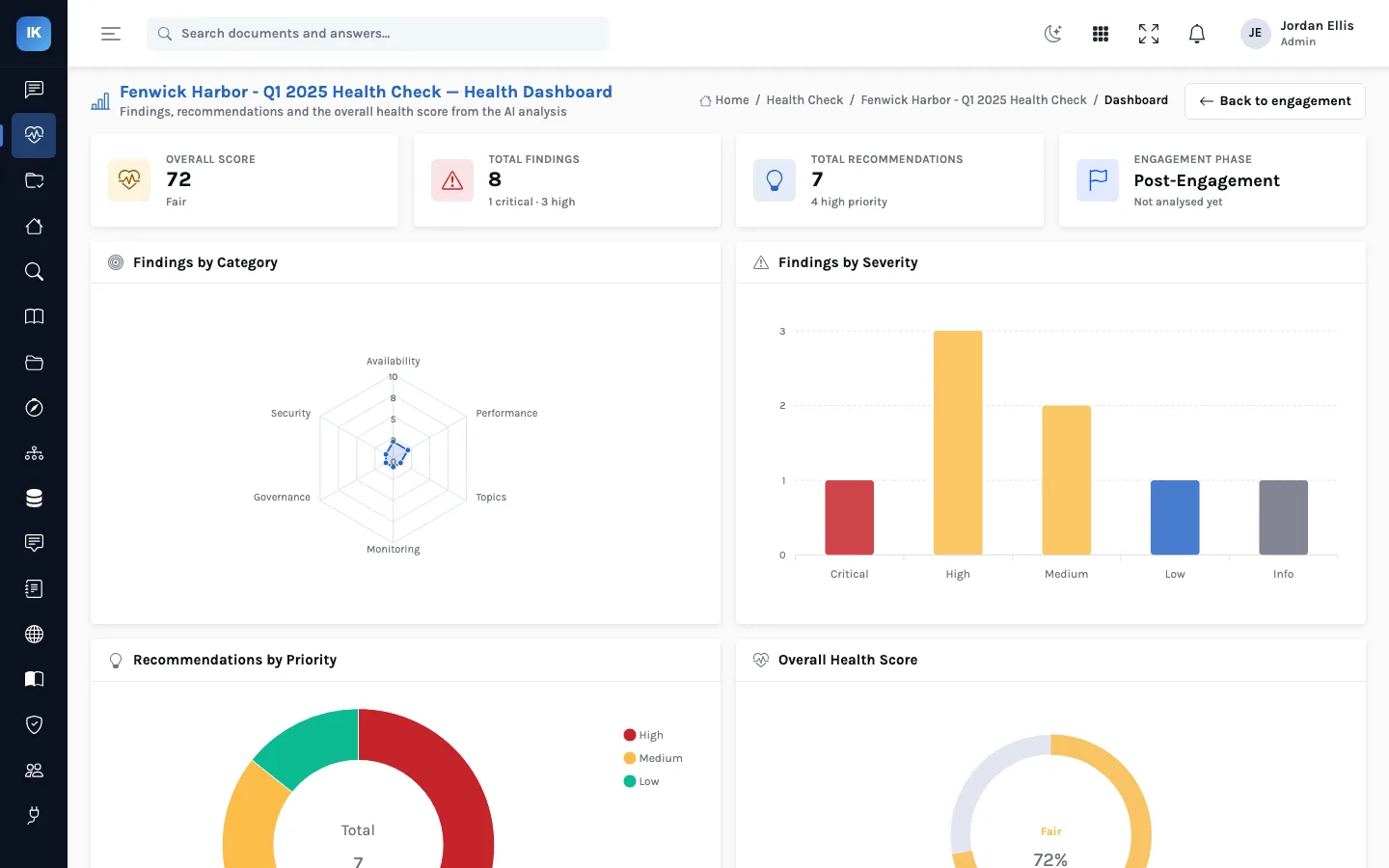
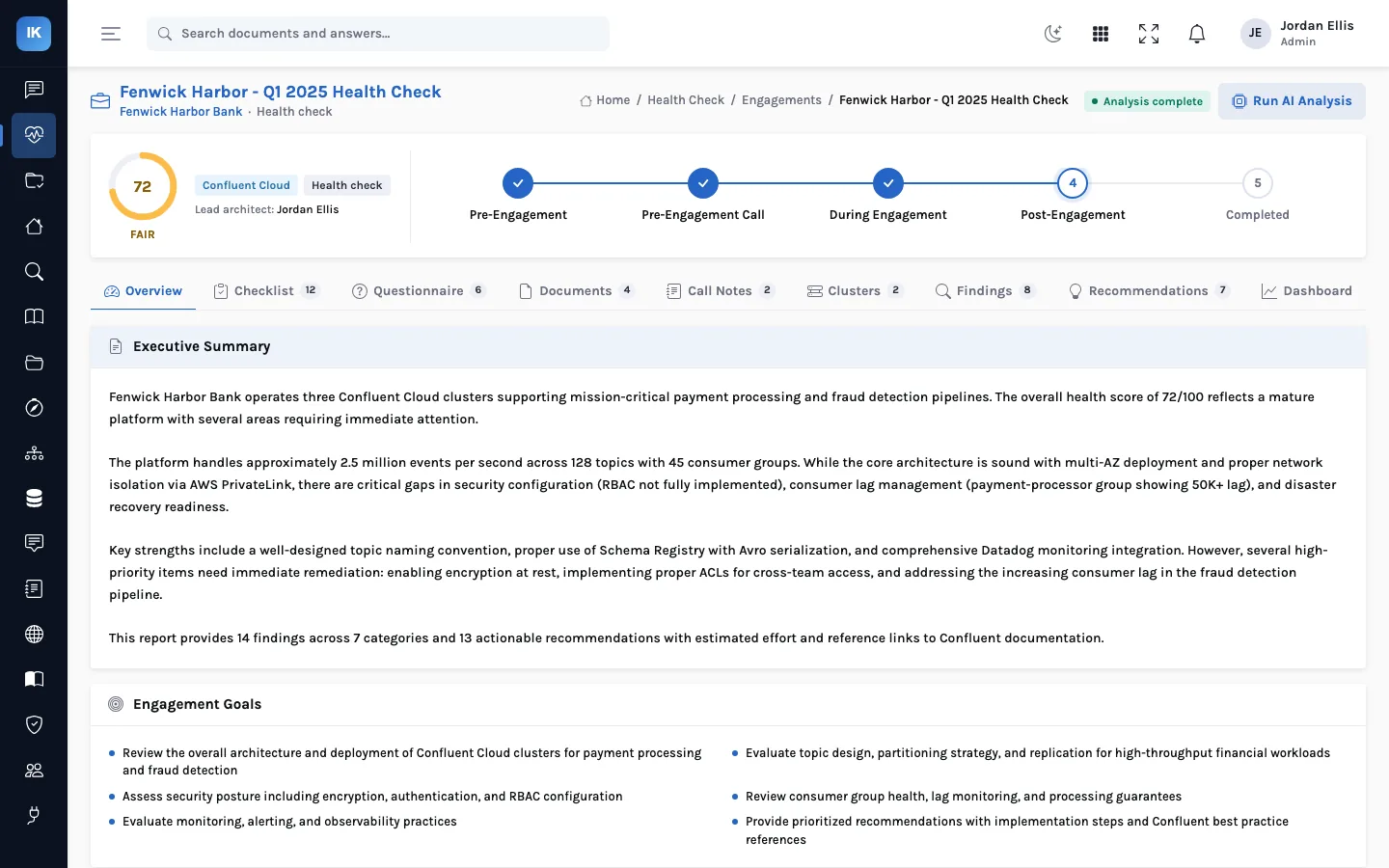
- Findings, recommendations and score. Severity-rated findings with evidence and impact, prioritised recommendations with effort and implementation steps, and a weighted health score from 0 to 100.
- Report. A branded PDF report with the executive summary, the checklist, findings, recommendations and the score.
Where AI fits, and where it does not
Two kinds of work happen in an engagement. Rule-based checks read configuration files (server.properties, ZooKeeper and Control Center properties, sysctl output, JVM options) and fill in checklist answers with no model involved. AI analysis reads the cluster records and the parsed documents, category by category, and drafts findings, recommendations and the scores, which the architect then reviews; it also structures questionnaires and call notes. The health score itself is arithmetic on the findings, so it can be explained line by line.
Three customers, one method
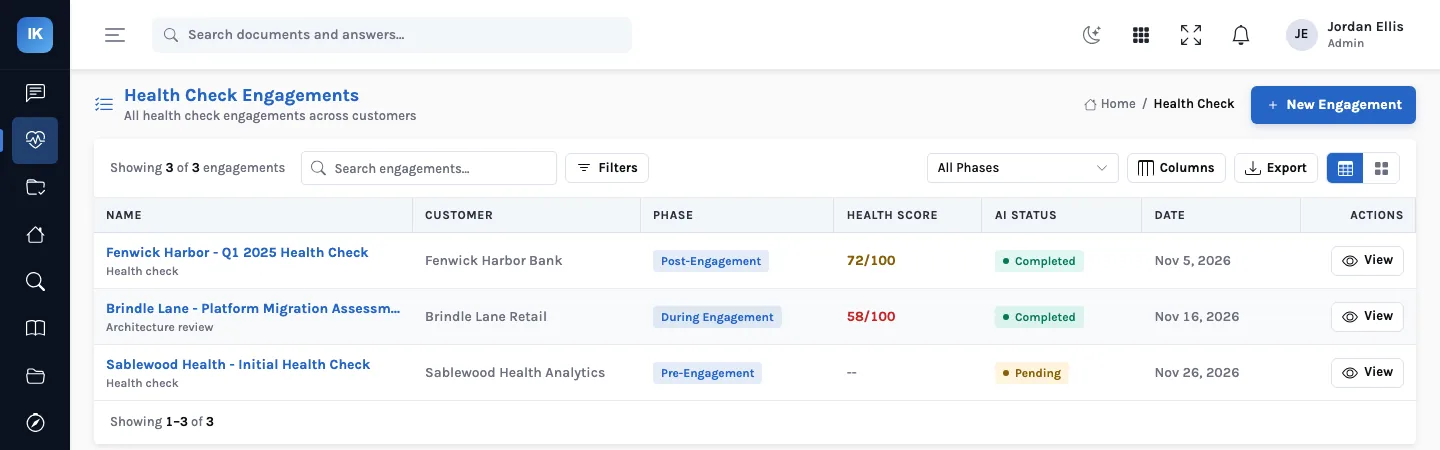
A fictional consultancy runs health checks for a bank and a retailer, both on self-managed Confluent Platform, and a healthcare analytics firm on Redpanda. Each engagement uses the same phases, the same checklist and the same scoring, so a partner can compare the bank's 72 with the retailer's 58 and know they were measured the same way, and each customer gets a report in the same format.
What it does not do
InsightKafka does not connect to your clusters. It reads what you give it: configuration files, listings of topics, consumer groups, connectors and schemas, the questionnaire and the notes. That keeps it out of your production network and means it needs no credentials for your brokers, but it also means the review is only as current as the files. It is not a monitoring tool and does not watch lag or throughput between engagements.
An engagement, week by week
- Before the kickoff: create the customer and engagement in the wizard, send the questionnaire, and agree what files the platform team will collect.
- Intake: upload the questionnaire and configuration files. Parsed questionnaires create the cluster records; configuration files fill in checklist answers by rule.
- Discovery calls: type the notes during or after each call, and structure them with AI.
- Review: complete the checklist, run the analysis, and edit the drafted findings and recommendations.
- Read-out: generate the report, walk the customer through the score and the first few recommendations, and move the engagement to completed.
How to tell whether it fits
- You run health checks or architecture reviews more than once, for yourselves or for customers, and want them comparable.
- Your evidence arrives as files and conversations, not a live connection.
- You want a model to draft, and a named architect to decide what the customer reads.
- Your platforms are Confluent Cloud, Confluent Platform or Redpanda, which are the platform types an engagement records.
Questions buyers ask
Do we have to give InsightKafka access to our brokers?
No. Nothing in the product connects to a cluster. You upload or paste configuration and listings, and you choose what to include.
Who can change findings and checklist answers?
Creating, editing and deleting findings, and parsing configuration into the checklist, are restricted to administrators. That keeps the record of what was found in a few hands.
Can we see last year's engagement next to this year's?
Yes. Engagements are kept per customer, with their phase, score and findings, so a repeat check is a new engagement for the same customer and the list shows both, each with its own phase, score and analysis status.
What kinds of engagement can we run?
The wizard offers an initial health check, a follow-up assessment, a deep dive, migration readiness, a performance review and a security audit. They share the tabs, the checklist and the scoring. Report templates exist today for the Kafka health check and for a production readiness assessment; see the article on running one method across customers for what that means for other types.
Does it work without a language model?
Partly. The configuration rules, the checklist, the cluster views and the score arithmetic need no model. Parsing documents, structuring notes and drafting findings and recommendations do, and without a model those steps simply do not run.